Space weather guide

Northern lights alert: how to get notified when aurora is active

Aurora does not wait for a convenient hour. A good alert system means you act the moment conditions are right - not the morning after, when you find out you missed a Kp 7 storm at 02:00.

Why aurora alerts matter

Aurora appears with little warning and can disappear within minutes. A Kp 6 event may sustain geomagnetic activity for two to four hours, but the most visible arc - where the aurora intensifies into bright bands and rays - can be over in 20-30 minutes. Checking a forecast once in the evening and going to bed at 23:00 is not a strategy. Events regularly peak in the early hours.

Passive monitoring - refreshing a website before bed - only works if the storm happens to peak during your waking hours. Real-time alerts remove that dependency. When conditions cross your threshold at 01:45, your phone wakes you. Without an alert, you sleep through it.

The difference between people who regularly see aurora and those who keep missing it is rarely location or luck. It is almost always an alert system that actually works.

What triggers an aurora alert

Three indicators drive most aurora alert systems, and understanding them helps you choose the right thresholds and tools.

The Kp index is the most widely used threshold. It is a global measure of geomagnetic disturbance on a scale of 0-9, updated every three hours from magnetometer data around the world. Most alert services let you set a Kp threshold and notify you when it is reached or exceeded. The limitation is the three-hour lag - by the time an elevated Kp is published, the aurora has already been active for some time.

Bz - the north-south component of the interplanetary magnetic field - is a real-time indicator that responds before Kp rises. When Bz turns negative (southward), solar particles connect with Earth's magnetosphere and aurora begins. Monitoring Bz gives earlier warning than waiting for the Kp to update, and it tells you whether conditions are intensifying or fading right now.

CME arrivals - coronal mass ejections from the Sun - take one to three days to reach Earth. When NOAA predicts a CME impact, advance alerts give you time to prepare: check the cloud forecast, identify a dark-sky site, and arrange to be near it on the likely impact night. CME alerts do not guarantee aurora at your latitude, but they tell you when to be ready.

This site's forecast

The 7-day outlook on this site shows incoming CMEs and expected Kp for the coming week. Use it to identify nights worth staying up for, and to spot CME windows several days in advance.

Each location page shows the current Kp alongside the minimum threshold for that location - making it clear at a glance whether conditions currently meet the threshold for that spot. If you have not found your local page yet, browse all coverage areas at /locations.

NOAA Space Weather alerts

NOAA's Space Weather Prediction Center (SWPC) runs the most authoritative free alert service available. You can sign up for email and push notifications at spaceweather.gov, setting a threshold based on the G-scale. Signing up takes under two minutes.

Matching G-scale thresholds to UK locations: G1 (Kp 5) covers northern Scotland and Scandinavia. G2 (Kp 6) covers Scotland and northern England. G3 (Kp 7) covers most of the UK, down to about 50°N. If you are based in southern England or the Midlands, setting your alert at G2 still gives you notice to check conditions - you may not see aurora at G2, but you want to know it is happening.

NOAA alerts are issued based on real-time magnetometer data, not just forecasts. They arrive fast and are reliable. For most people in the UK and northern Europe, this is the starting point for any alert system.

SpaceWeatherLive

SpaceWeatherLive is an independent site and app that offers real-time solar wind data, Bz monitoring, and configurable push notifications. The interface shows Bz, solar wind speed, and particle density alongside Kp - the same parameters that drive geomagnetic activity.

Where SpaceWeatherLive is particularly useful is during an active event. While you wait for the 3-hour Kp average to catch up, you can watch Bz in real time and see whether the storm is intensifying or fading. That live picture is more actionable than any forecast number when conditions are already active.

What to look for in an aurora alert app

The core features worth checking: real-time Bz monitoring (not just forecast Kp), push notifications with a configurable threshold, local cloud cover integration, and clear latitude-based visibility indication. An app that shows your location's minimum Kp threshold alongside the current value saves a step every time you check.

The main thing to avoid is apps that show only forecast Kp without live solar wind data. Forecast Kp tells you what may happen over the next few hours based on modelling. By the time that forecast materialises into a real Kp reading, the event has already started. Apps that combine forecast data with real-time Bz give you the full picture.

Cloud cover is the other non-negotiable. An alert app that shows geomagnetic conditions without cloud cover means checking two separate services every time. Look for apps that integrate forecast cloud cover at your saved location.

The cloud cover problem

An aurora alert at Kp 7 is useful only if skies are clear. Cloud cover and Kp are entirely independent - a major geomagnetic storm under full overcast is invisible from the ground. The two variables need to align, and they do so unpredictably.

Each location page on this site shows cloud cover in the 7-day widget alongside Kp. Use it to identify nights where both the geomagnetic forecast and the sky are favourable - those are the nights worth planning around. A Kp 5 on a clear night beats a Kp 8 under thick cloud.

Have a clear-sky site identified before an alert arrives, not the same night. When a storm breaks at midnight on a Wednesday, you do not want to spend 20 minutes working out where to drive. Know your nearest dark site with open northern horizons, know the route, and be ready to leave within 30 minutes.

Setting up a personal alert system

A working alert system does not require multiple paid apps. The following five steps cover the essentials.

  1. 1 Find your location page and note your Kp threshold - this is the minimum Kp at which aurora is realistically visible from your area on a clear night.
  2. 2 Sign up for a NOAA SWPC alert at spaceweather.gov, set to the G-scale level at or just below your Kp threshold. This is your advance warning layer.
  3. 3 Check the cloud cover forecast for the next few nights - especially the hours from 22:00 to 03:00, when aurora is most reliably dark enough to see. The location pages on this site show the 7-day cloud picture.
  4. 4 Choose a dark-sky site in advance, away from light pollution, with a clear view to the north. Map the route. Decide your threshold for getting out of bed.
  5. 5 When an alert arrives, check Bz and cloud cover before you leave. If Bz is negative and cloud cover is low at your site, go immediately. Aurora does not wait.

For travellers abroad

When visiting Norway, Iceland, or Finland, the same alert principles apply - but the thresholds drop substantially. At Tromsø or Saariselkä you are above 69°N. Aurora is visible there at Kp 1-2 under dark, clear skies. A G1 alert is meaningful; any positive Bz swing is worth stepping outside to check.

The location pages for Tromsø, Iceland, and Saariselkä show live conditions during a trip. Set a NOAA G1 alert before you travel, and monitor Bz during the evenings. At those latitudes, the question is rarely whether aurora will appear - it is whether the sky is clear and dark enough to see it.

The same discipline applies: identify your viewing spot on arrival, check cloud cover each afternoon, and be ready to go quickly when Bz turns negative after dark.

Common questions

Aurora alerts, apps, and how to act quickly when conditions are right.

What is the best aurora alert app?
There is no single best option - it depends on what you need. NOAA Space Weather Prediction Center offers free, reliable email and push alerts based on official geomagnetic storm forecasts. SpaceWeatherLive provides a well-regarded app with real-time Bz monitoring and configurable Kp thresholds. The most effective approach is combining NOAA alerts (for advance warning of incoming storms) with a live solar wind app (for real-time Bz data once a storm is in progress).
How much warning do aurora alerts give?
It varies by the trigger. NOAA G-scale alerts based on Kp give around 15-30 minutes of notice once the storm threshold is crossed - the aurora may already be active by the time the alert arrives. CME arrival alerts can give 1-3 days of advance notice, though the timing is uncertain. Real-time Bz monitoring via satellite data (DSCOVR or ACE at the L1 Lagrange point) gives roughly 15-60 minutes of warning before conditions reach Earth. This is why combining different alert types is useful.
What Kp should I set my alert to?
Set it at or just below your location's minimum threshold. For northern Scotland and Scandinavia, Kp 3-4 is a reasonable starting point. For central Scotland and the Faroe Islands, Kp 4-5. For northern England, Kp 5-6. For the Midlands and northern Europe, Kp 6-7. Setting it slightly below your threshold means you get the alert early enough to check cloud cover and decide whether to head out, rather than receiving it at the same moment the storm peaks.
Can I get aurora alerts by text?
NOAA Space Weather Prediction Center sends email alerts, not SMS by default. Some third-party aurora apps offer SMS notifications as a paid feature. You can route NOAA emails to an SMS gateway or use email-to-SMS services if you prefer text alerts. The simplest approach for most people is enabling push notifications from a reputable aurora app, which delivers alerts as quickly as SMS.
How do I know if the aurora is visible right now?
Check the live conditions on your nearest location page on this site - each page shows the current Kp alongside the minimum threshold for that location, plus cloud cover. If Kp is at or above your threshold and skies are clear, go out and look north. You can also check the real-time Bz value: if it is negative and dropping, conditions are active. A camera (even a phone camera) is more sensitive to aurora than the naked eye - point it north and take a 3-second exposure if you are uncertain.

Photograph the Aurora - Recommended Gear

This page contains affiliate links. As an Amazon Associate I earn from qualifying purchases.

Sony Alpha 7 III Mirrorless Camera
Camera

Sony Alpha 7 III Mirrorless Camera

View on Amazon
Nikon Z6 II Mirrorless Camera Kit
Camera

Nikon Z6 II Mirrorless Camera Kit

View on Amazon
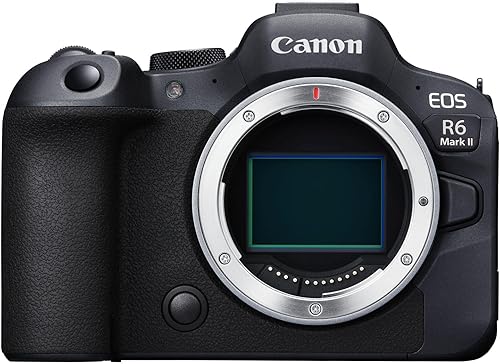
Canon EOS R6 Mark II
Camera

Canon EOS R6 Mark II

View on Amazon
Nikon Z 50II Body
Camera

Nikon Z 50II Body

View on Amazon
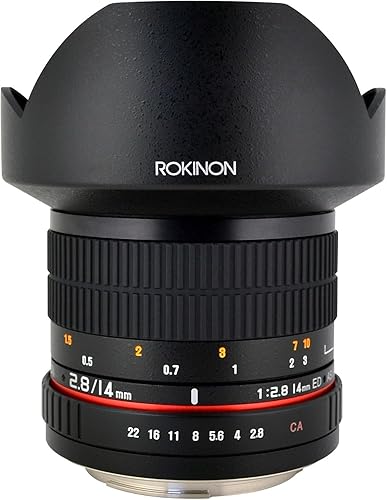
Rokinon 14mm F2.8 Ultra Wide Lens
Lens

Rokinon 14mm F2.8 Ultra Wide Lens

View on Amazon
Sigma 16mm f1.4 DC DN Contemporary
Lens

Sigma 16mm f1.4 DC DN Contemporary

View on Amazon
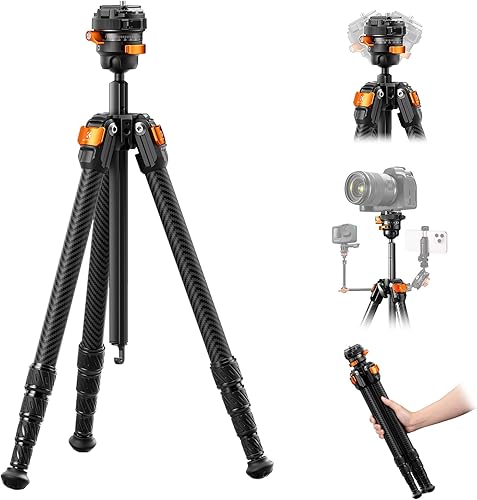
K&F Concept 60" Carbon Fibre Tripod
Tripod

K&F Concept 60" Carbon Fibre Tripod

View on Amazon
AODELAN Wireless Camera Remote (Nikon)
Accessory

AODELAN Wireless Camera Remote (Nikon)

View on Amazon
K&F LP-E17 3-pack Battery & Charger (Canon)
Accessory

K&F LP-E17 3-pack Battery & Charger (Canon)

View on Amazon
Winter Mittens Gloves
Accessory

Winter Mittens Gloves

View on Amazon
BORUIT LED Head Torch
Accessory

BORUIT LED Head Torch

View on Amazon